Understand spending patterns
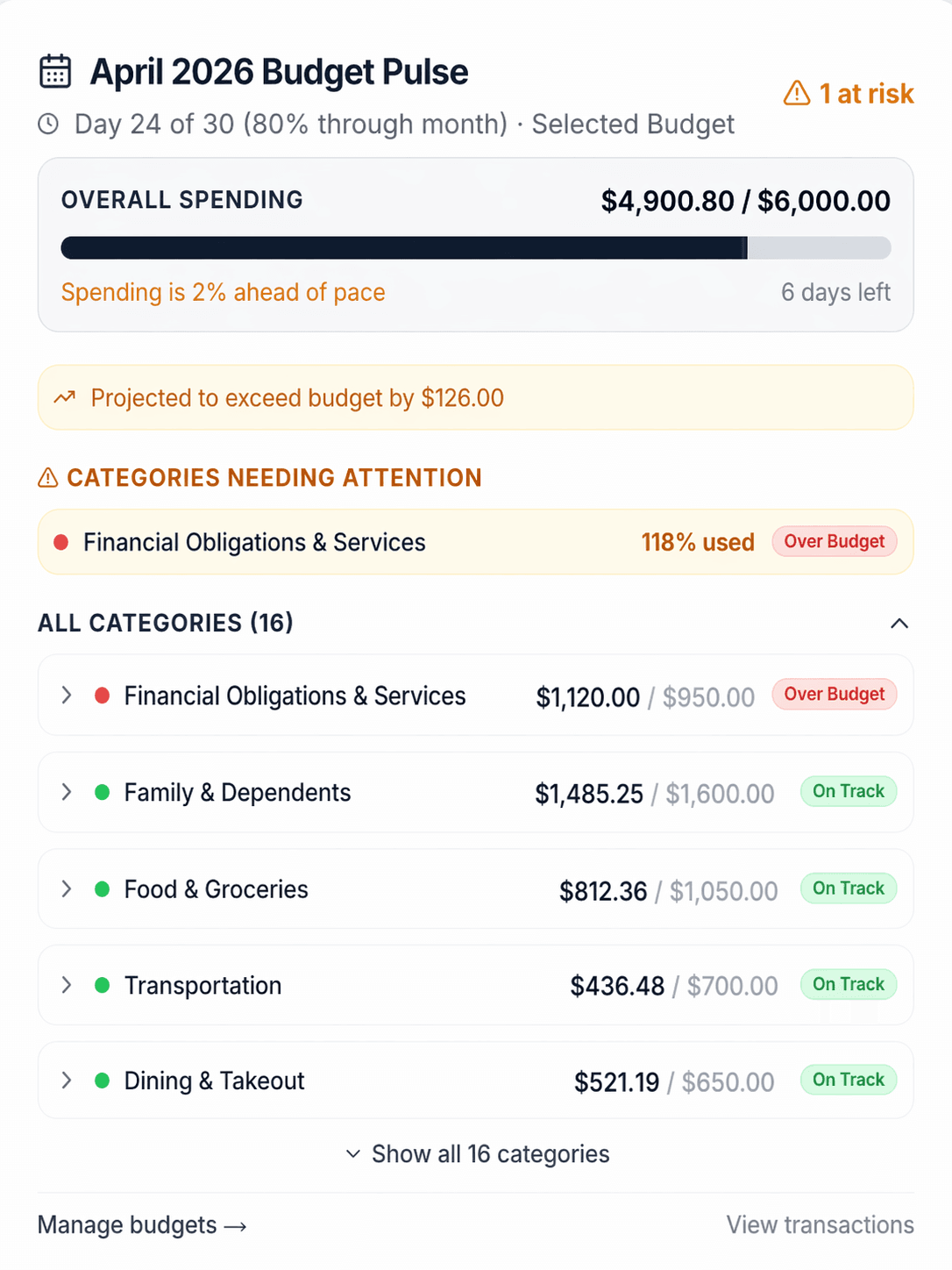
Review categorized activity over time to see where your money is going and which patterns deserve attention.

Real inputs. A budget you control.
Expense Atlas uses your income, reviewed spending, debts and required minimums, savings goals, retirement priorities, liquidity, and preferences to mathematically recommend a balanced monthly allocation.
Hard constraints protect essentials and minimum payments. The calculation then compares tradeoffs among your remaining priorities and shows recommended targets you can review before you accept them.
No credit card required. Scan 3 receipts and import 1 statement each month. Paid plans begin at $4.49/month.
Also available on iOS and Android
A concise setup process
The inputs stay reviewable, and the generated result remains yours to accept or change.
Provide financial activity and income through manual entries, receipts, statement imports, or supported paid bank connections.
Correct merchants, categories, and matches, then add the goals, obligations, and priorities that matter now.
Review the generated Personalized Budget, accept it, make category adjustments, and compare your current budget with actual spending.
Reconciliation proof
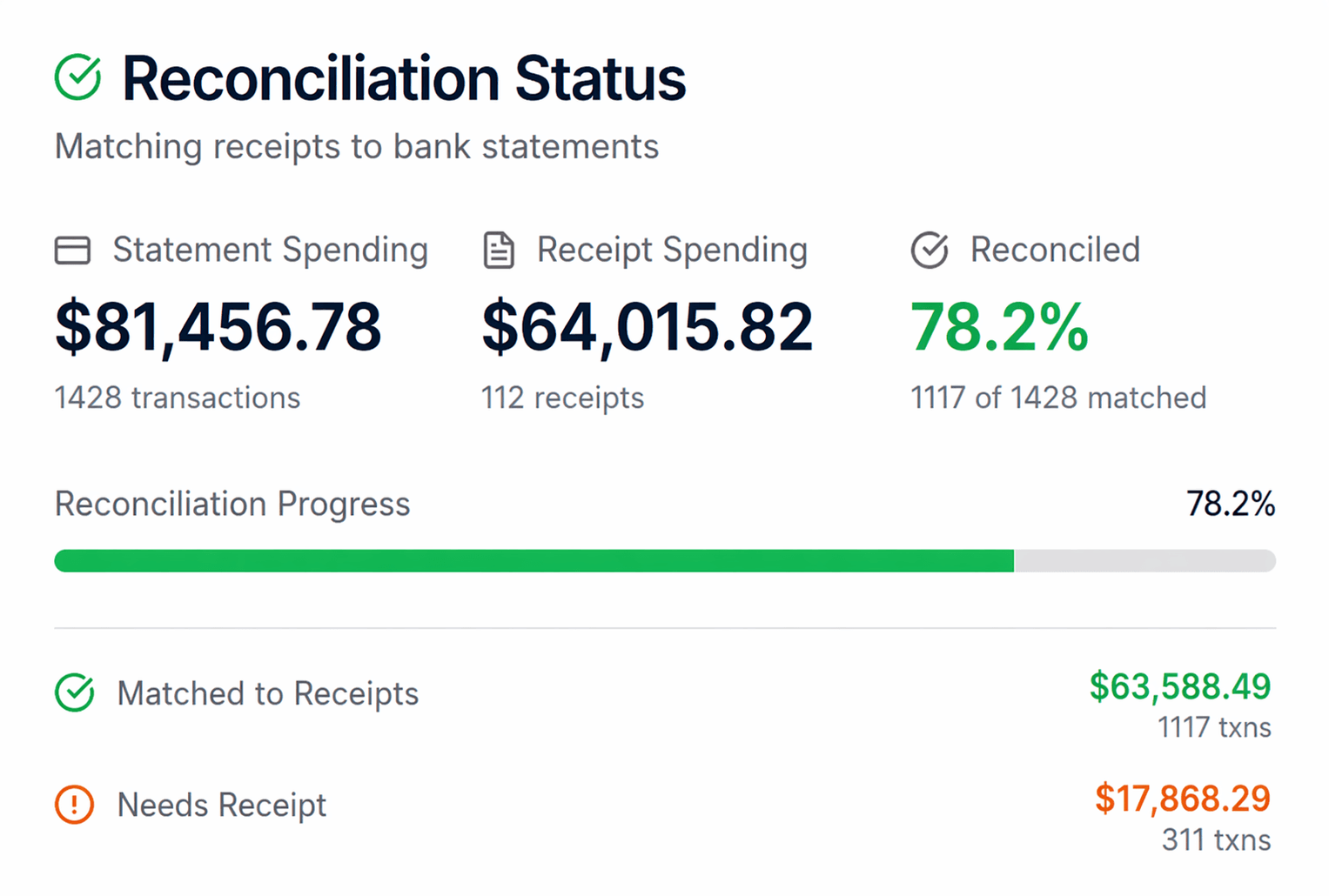
Expense Atlas helps match receipts with imported or connected transactions so you can see what is reconciled, what still needs a receipt, and what may need correction before relying on the totals.
Ongoing money decisions
Expense Atlas helps you understand spending, create a realistic monthly budget, keep savings and retirement priorities visible, and monitor progress over time.
Review categorized activity over time to see where your money is going and which patterns deserve attention.
Use the financial activity and priorities you provide to generate category targets you can review and accept.
Represent debt, emergency savings, goals, and retirement priorities alongside bills and flexible spending.
Compare current spending and priorities with your Accepted Budget as you work toward greater financial independence.
On the web, turn today's spending plan into a clearer path across net worth and debt payoff.
Review before relying
Generated budget amounts are estimates based on the information available. Missing activity, incorrect categories, changing income, and incomplete goals can change the result.
Imported and extracted records can be incomplete or wrong, so corrections matter.
A generated Personalized Budget is a recommendation until you choose to accept it.
Current category overrides let the budget reflect newer choices without rewriting history.
Expense Atlas does not provide individualized financial advice or guarantee savings or goal completion.
Compare approaches
Review the tradeoffs among Expense Atlas, spreadsheets, and typical budget apps, including setup effort, review controls, imports, and ongoing maintenance.
Create a free account. No credit card. Scan 3 receipts and import 1 statement each month, and see your own spending broken out line by line. On Free, receipts reconcile against a user-imported statement. Paid plans add bank sync, higher processing capacity, AI review, and ongoing budget maintenance. Plan prices and allowances below come from the current public catalog.
No credit card
$0
For trying receipts, one statement import, and a fictional sample budget
Create a free account. No credit card. Scan 3 receipts and import 1 statement each month, and see your own spending broken out line by line.
Individuals
$4.49/month
Best for individuals who want real structure and light automation
Practical source-data capacity and light automation for generating and revisiting a Personalized Budget.
Higher household capacity
$8.99/month
Best for households with more accounts and monthly activity
More capacity for one household account to keep a Personalized Budget grounded in current activity.
Bank connections use Plaid, require an eligible institution, and are included only with paid plans. Provider coverage and connection behavior can vary.
Plan limits apply to inputs and separate services such as receipts, statements, bank sync, and written AI analysis. Recalculating a Personalized Budget does not consume those allowances.
Selected sensitive fields are encrypted at the application level, with AWS KMS protecting user keys. This selected-field encryption does not cover every field or ingestion path.
Read the Trust CenterConnections to Expense Atlas use TLS. Bank connections through Plaid also use HTTPS and TLS.
Selected sensitive fields use application-level encryption, with AWS KMS protecting user keys. Not every stored field uses this encryption.
Passwords are hashed with Argon2id and are not stored as plaintext.
Personal financial data is not sold for advertising. See the privacy policy for details.
Explore general financial education, transparent examples, and decision tools separately from the product workflow.
Browse decision guides, calculators, glossary entries, and sourced financial context.
Read moreWork through common decisions with visible assumptions, examples, and limitations.
Read moreLearn what budgeting may improve and where a budget still has limits.
Read moreProvide the inputs, review the recommendation, accept or adjust it, and monitor what happens next.